

Welcome to your complete guide for accessing and managing your Jeetbuzz123 account. Whether you need to log in, recover a forgotten password, or update your personal details, this page provides clear, step-by-step instructions for all account-related tasks.
How to Login to Your Jeetbuzz123 Account
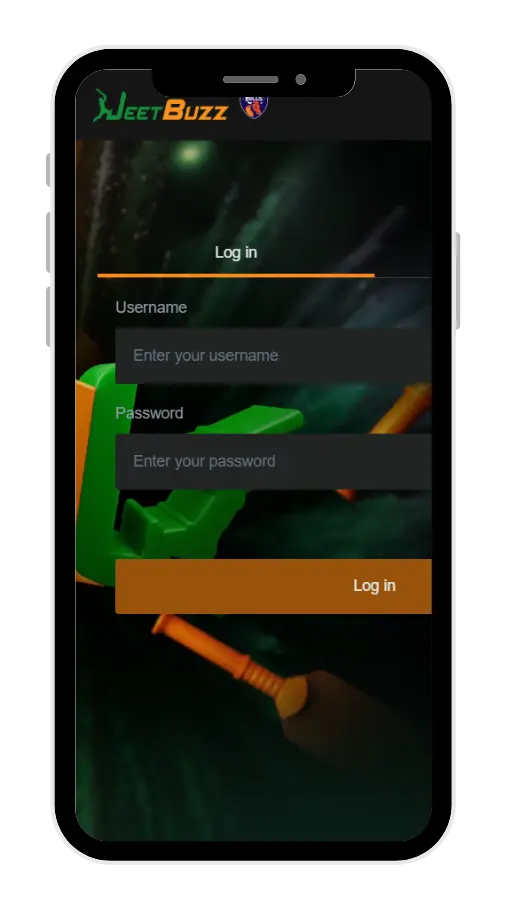
Accessing your account is simple. You can use the same username and password to log in on the desktop website, mobile site, or the Jeetbuzz123 App.
- Open the official JeetBuzz website or launch the app.
- Locate and click the “Login” button, usually found at the top right of the page.
- Enter the username and password you provided during registration.
- Click the final ‘Login’ button to confirm and access your account.
Forgot Your Password? How to Recover Your Account
If you’ve forgotten your password, do not create a new account. Jeetbuzz123 provides a secure and easy way to reset it. You must have already verified your phone number and email to use this feature.
Step 1: Start the Recovery Process
On the JeetBuzz 123 homepage, click the ‘Login’ button, then select the ‘Forgot Password” link.
Step 2: Choose Your Recovery Method
You have two options to reset your password:
- Reset via Email: Input your username and your verified email address. Click “Confirm”. A new, random password will be sent to your email. Remember to check your junk/spam folder.
- Reset via SMS: Input your username and your verified phone number. Click “Confirm”. You will receive an SMS with a new, random password.
Important Rules for Password Reset:
- You can only request a password reset a maximum of five (5) times per day.
- The new random password is only valid for 15 minutes. You must log in within this time, or it will expire.
- You cannot request another password change within 1 hour of a successful reset.
- If you are unable to use these methods, please contact the 24/7 customer support team for manual verification and assistance.
Managing Your Jeetbuzz123 Account
Keeping your account details up-to-date is important for security and smooth operations. Here’s how you can manage your password and contact information.
How to Change Your Current Password
For security, it is recommended to change your password regularly.
- Log in to your JeetBuzz123 account.
- Click on ‘My Account’ and select ‘Reset Password’.
- Enter your current (old) password, then enter your desired new password and confirm it. Click ‘Confirm’ to save the changes.
How to Change Your Email Address or Phone Number
This process requires manual verification for security purposes. Please follow these steps carefully:
- Send an Email Request: Send an email to info@jeetbuzz123.io. The subject line must be ‘Request To Change Email Address/Phone Number/Both’. In the email body, you must include the following details:
- Your Username
- Your Full Name
- Your Date of Birth
- Last Deposit Amount & Last Withdrawal Amount
- Current Account Balance
- The Old and New Phone Number/Email Address
- The reason for the change.
- Contact Customer Support: After sending the email, contact the 24/7 customer support team to inform them of your request.
- Phone Call Verification: A phone call verification is mandatory. Please provide the support team with the best contact number and time to call you.
- Wait for Approval: After the review and phone verification are complete, you will be notified via your new email address once the change is approved.
Note: Account information can only be changed a maximum of three times. Details like your Username, Full Name, and Date of Birth cannot be changed after registration.

Welcome to JeetBuzz 123, where the thrill of online gaming meets the excitement of sports betting, all under one roof. Whether you’re a seasoned gamer or new to the world of online gambling, JeetBuzz123 offers a dynamic platform that caters to all your gaming and betting needs. With a wide array of games from top providers and an innovative betting exchange, we are here to deliver an unparalleled experience to players across Bangladesh.